Features
Django Cache Panel provides comprehensive cache management through Django's admin interface.
Cache Overview
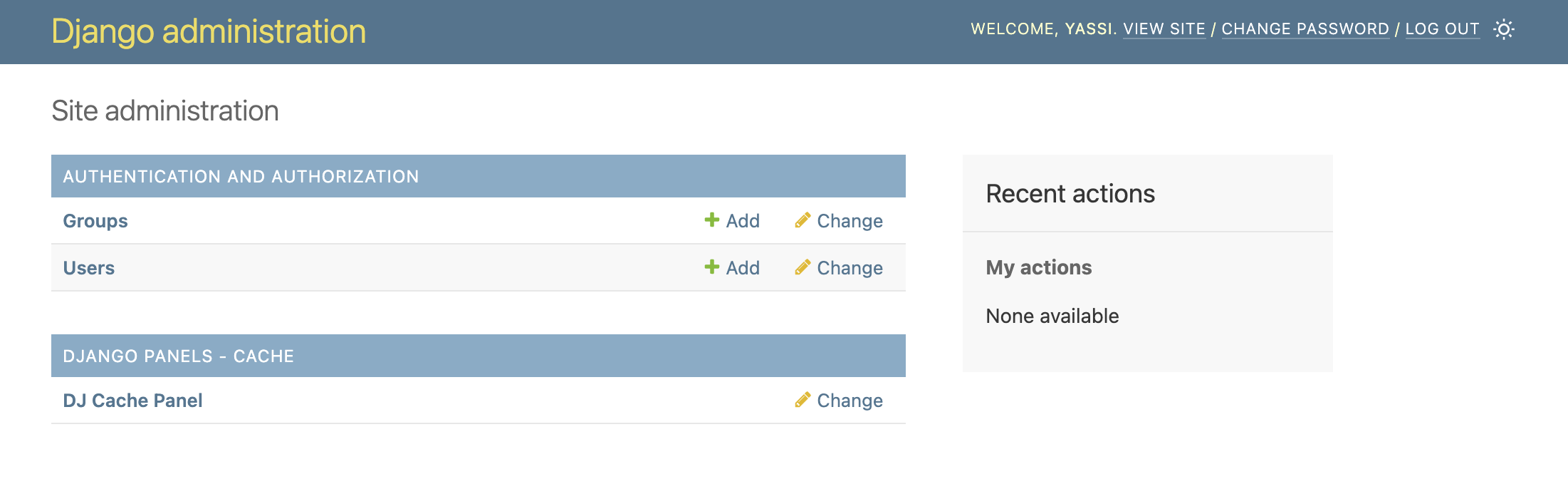
Django Admin Integration
Django Cache Panel seamlessly integrates into your Django admin interface:
Instance List
View all configured cache backends from your CACHES setting:
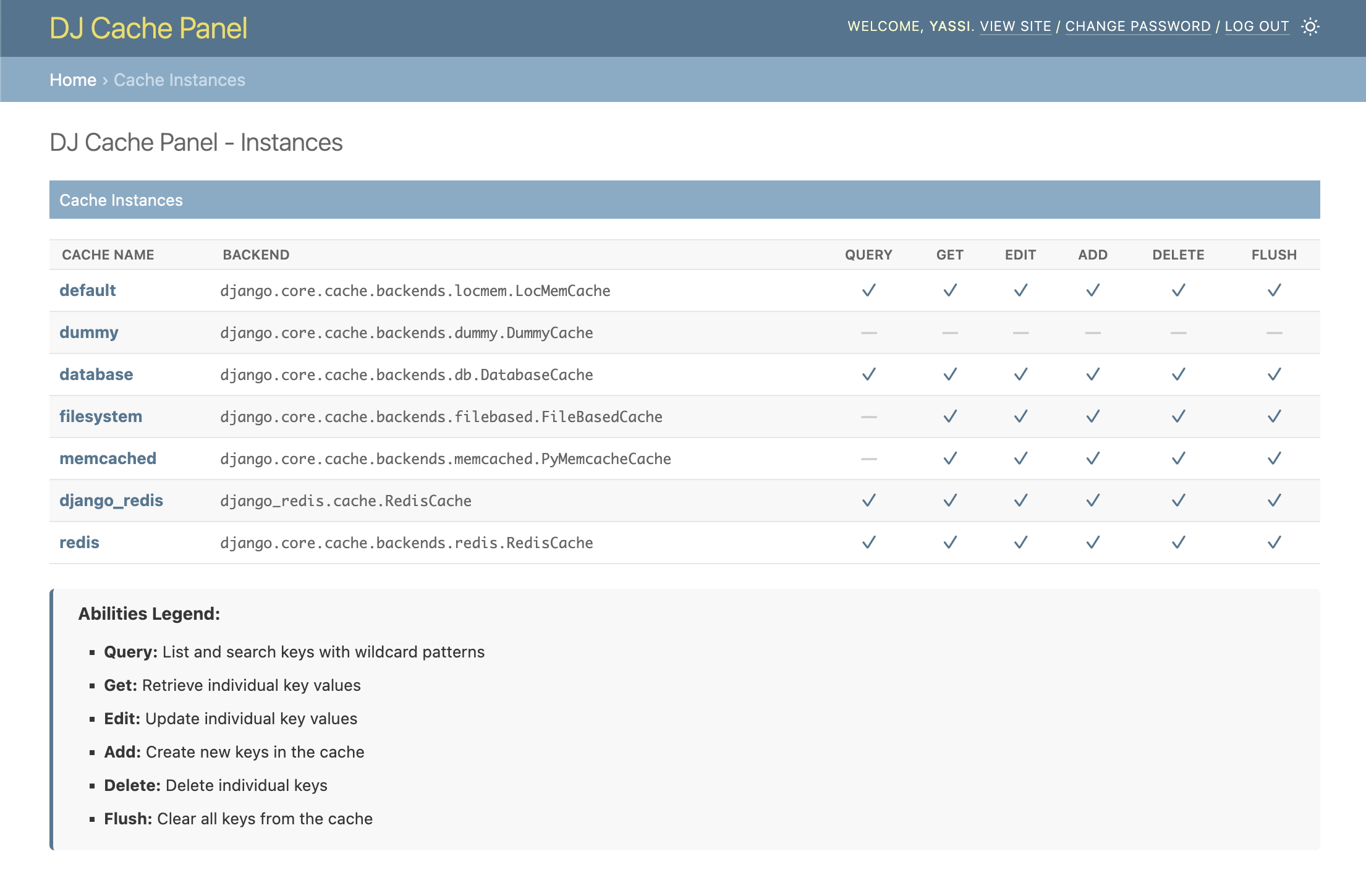
- Cache name and backend type
- Supported operations matrix
- Quick access to key search
Abilities Matrix
Each cache backend displays which operations it supports:
- Query: List keys with wildcard patterns
- Get: Retrieve individual keys
- Edit: Modify key values
- Add: Create new entries
- Delete: Remove keys
- Flush: Clear all entries
Key Management
Search & Browse
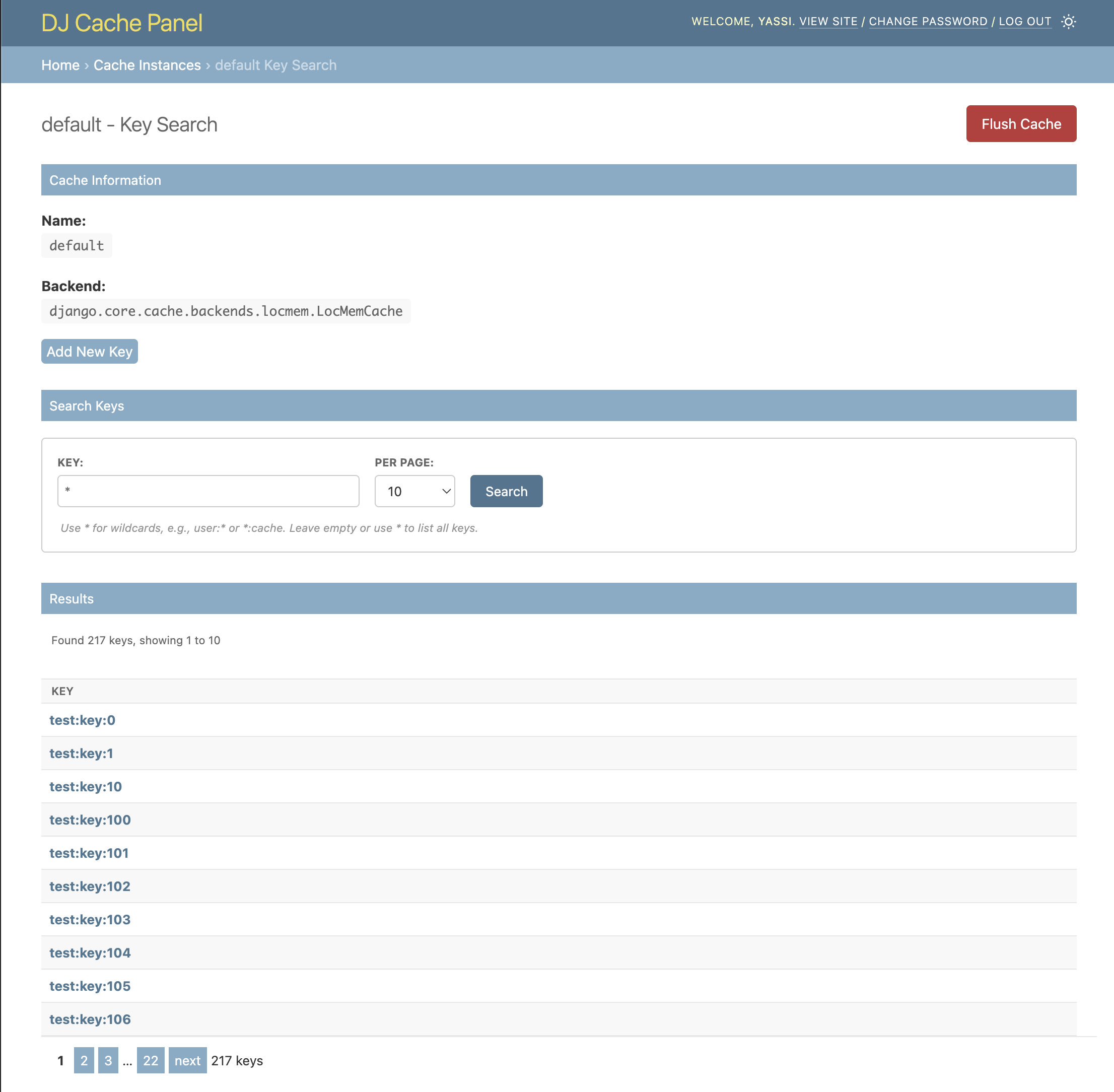
For query-supported caches (LocMem, Database, Redis):
- Wildcard search:
user:*,session:?abc - List all keys with
* - Paginated results
For all caches:
- Exact key lookup by name
- No wildcards needed
View & Edit Key Details
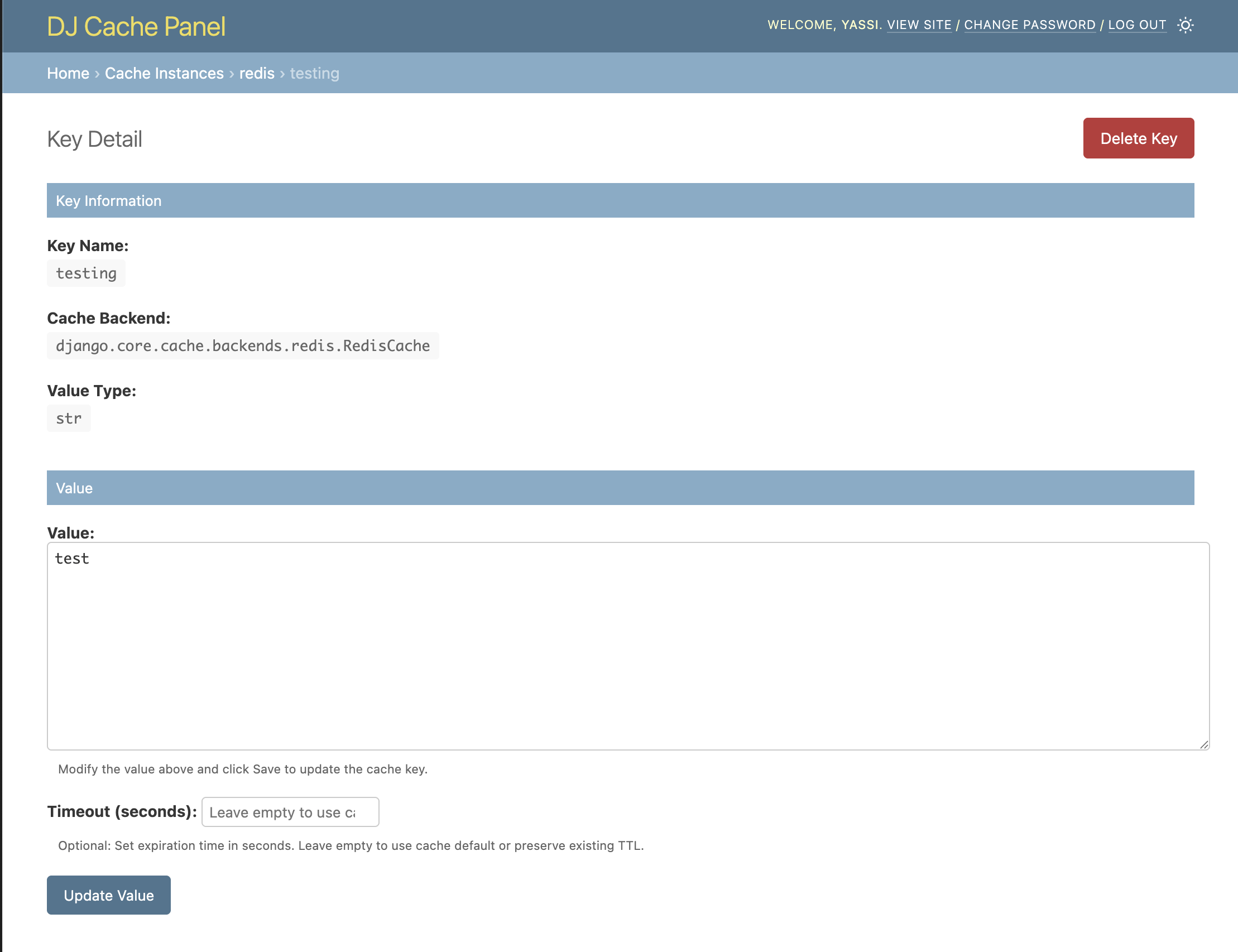
Click any key to view:
- Key name
- Cache backend
- Value (formatted as JSON if applicable)
- Value type
Edit Keys
Modify existing cache entries:
- Edit value directly in textarea
- Parse JSON automatically
- Set optional timeout (TTL)
- Disabled if cache doesn't support editing
Add Keys
Create new cache entries:
- Specify key name
- Enter value (JSON or plain text)
- Set optional timeout
- Available if cache supports adding
Delete Keys
Remove individual keys:
- Confirmation dialog
- Success/error messages
- Redirect to search page
Flush Cache
Clear all entries from a cache:
- Confirmation dialog before flush
- Disabled for caches that don't support it
- Success/error feedback
Backend Support
LocMemCache (Local Memory)
- Query: ✓ (pattern matching with
*and?) - Get/Edit/Add/Delete/Flush: ✓
DatabaseCache
- Query: ✓ (SQL LIKE pattern matching)
- Get/Edit/Add/Delete/Flush: ✓
RedisCache (Django & django-redis)
- Query: ✓ (Redis SCAN with pattern matching)
- Get/Edit/Add/Delete/Flush: ✓
- Shows Redis key name (with prefix)
ValkeyCache (Django & django-valkey, optional)
- Query: ✓ (Valkey SCAN with pattern matching)
- Get/Edit/Add/Delete/Flush: ✓
- Shows Valkey key name (with prefix)
FileBasedCache
- Query: ✗ (keys stored as hashed filenames)
- Get/Edit/Add/Delete/Flush: ✓
- Exact key lookup only
MemcachedCache
- Query: ✗ (Memcached protocol limitation)
- Get/Edit/Add/Delete/Flush: ✓
- Exact key lookup only
DummyCache
- No operations supported (no-op cache)
User Interface
Admin Integration
- Appears in Django admin sidebar
- Uses Django admin theme
- Responsive dark mode support
Search Interface
- Pattern input with help text
- Results per page selector
- Pagination controls
- Key count display
Key Detail Page
- Formatted value display
- Edit form with save button
- Delete button (top right)
- Backend information
Messages
- Success notifications (green)
- Error notifications (red)
- Warning messages (yellow)
- Django messages framework
Pagination
- Default: 25 keys per page
- Options: 10, 25, 50, 100
- Page navigation
- Total count display
Special Features
Redis Key Names
For Redis backends, both the user-facing key and the actual Redis key (with prefix) are displayed:
| Key | Redis Key |
|---|---|
user:123 |
:1:user:123 |
JSON Formatting
Values are automatically formatted:
- Dicts/lists displayed as pretty-printed JSON
- Edit form accepts JSON strings
- Automatic parsing on save
Timeout Support
Set cache expiration when editing or adding keys:
- Optional timeout field
- In seconds
- Empty = use cache default
Keyboard Navigation
- Tab through form fields
- Enter to submit forms
- Esc to close dialogs