Django Celery Panel
DJ Celery Panel brings Celery monitoring directly into Django Admin. No separate services to deploy, no extra infrastructure to maintain — just add it to INSTALLED_APPS and you're done.
Overview
Django Celery Panel is a Django admin extension that provides a web interface for monitoring and inspecting your Celery tasks and workers.
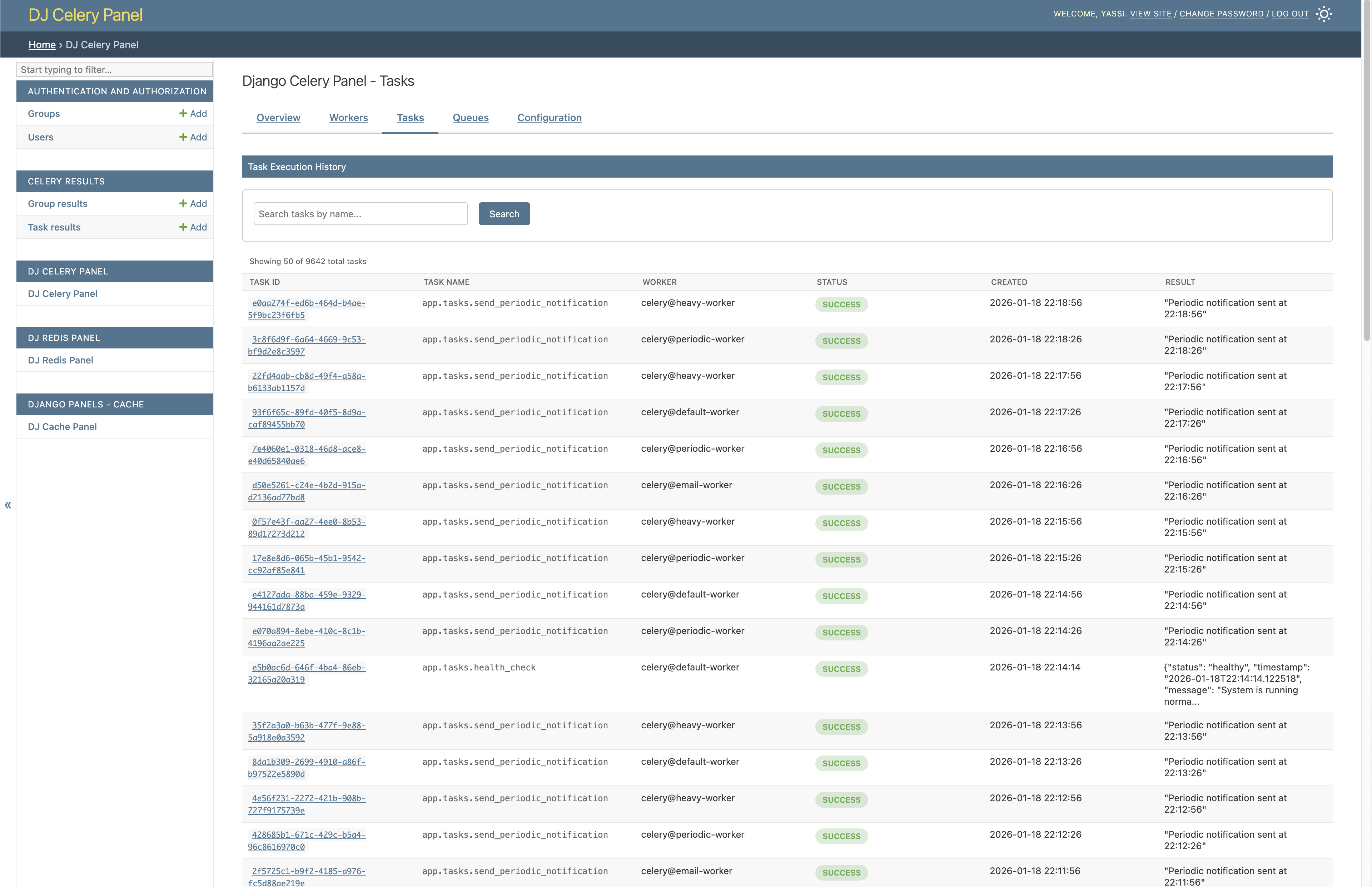
Features
- Workers Monitoring: View active Celery workers, their status, pool type, and concurrency settings
- Task Management: Browse task history and inspect detailed task information
- Queue Overview: Monitor configured queues and their routing configuration
- Periodic Tasks: View scheduled periodic tasks and their schedules
- Real-time Data: Live information from Celery's inspect API
- Django Admin Integration: Seamlessly integrated into your existing Django admin interface
- Swappable Backends: Pluggable architecture allows custom data sources and implementations
Status: This project is currently in active development.
Why Django Celery Panel?
Simple Integration: No separate services to run, no complex setup. Just add to INSTALLED_APPS and you're monitoring Celery through Django Admin.
Flexible Architecture: Built with swappable backends that let you customize how data is retrieved. Start with defaults, swap in custom implementations as you grow.
No Lock-in: The pluggable backend system means you can switch data sources, add custom logic, or integrate with existing monitoring tools without touching the UI.
Features in Detail
Dashboard Overview
Get a comprehensive overview of your entire Celery infrastructure at a glance.
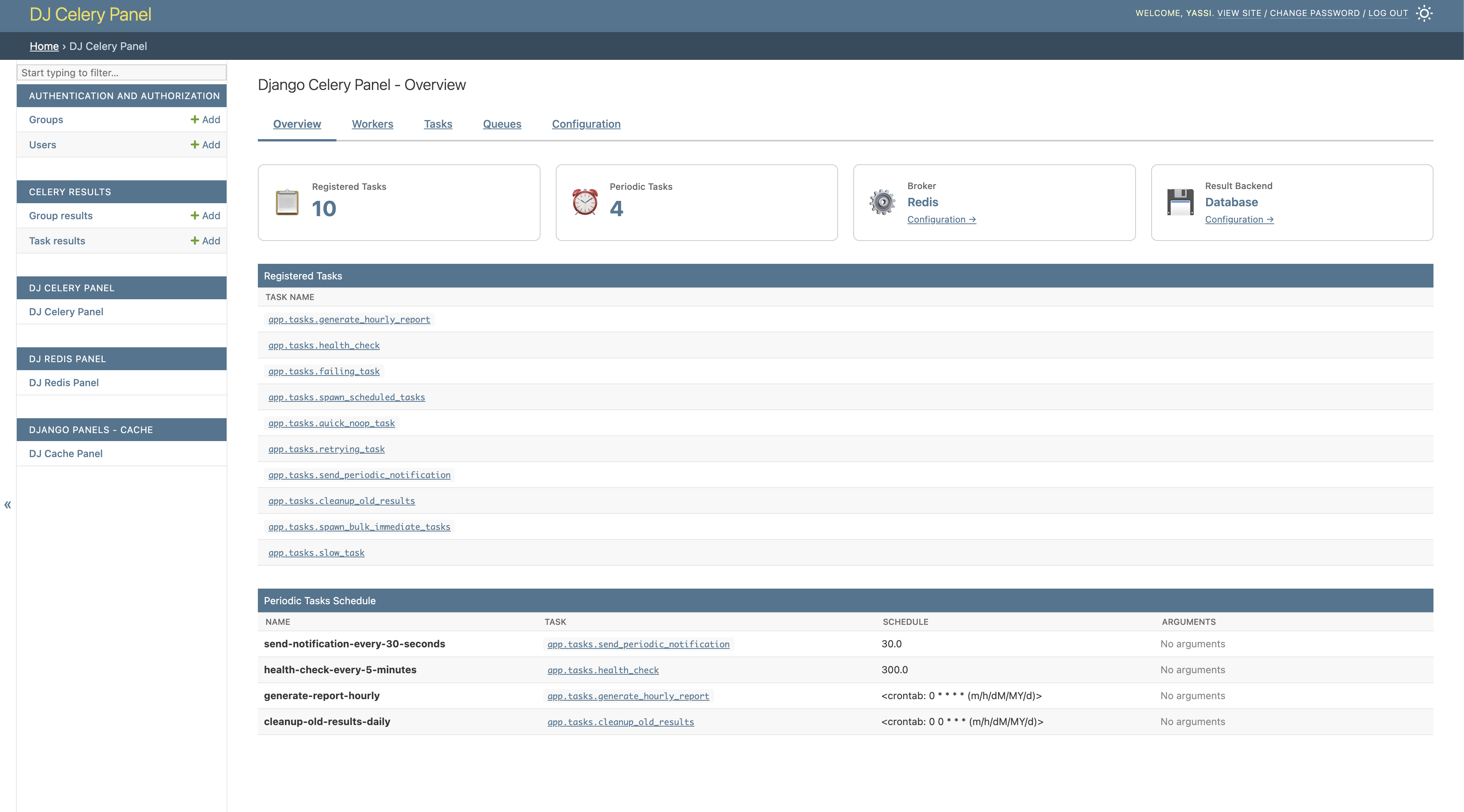
The dashboard provides: - Summary of active workers - Recent task activity - Queue status - Quick access to all monitoring features
Workers Monitoring
Monitor all active Celery workers in your infrastructure with detailed information.
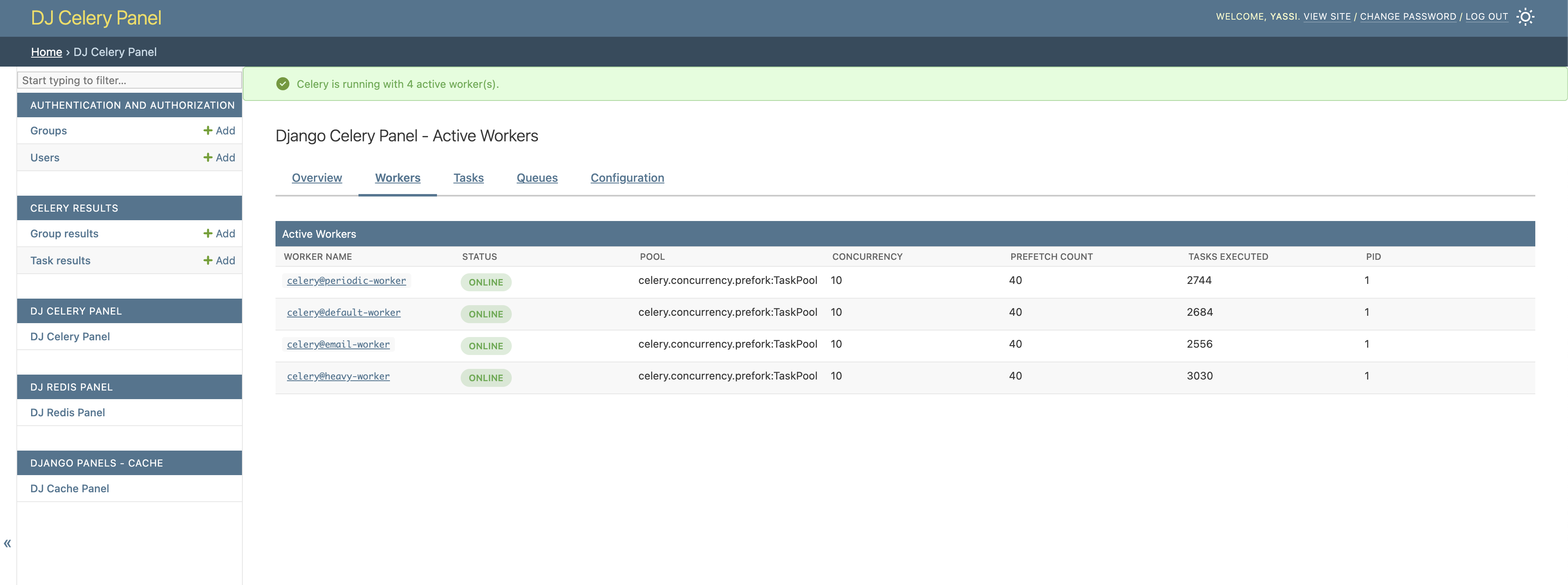
Worker monitoring includes: - Worker name and hostname - Online/offline status - Pool type (prefork, gevent, solo, etc.) - Concurrency settings - Active tasks count - Detailed worker statistics
Task Management
Browse and inspect your Celery task history with complete details.
Task management features: - Task name and ID - Current status (pending, started, success, failure, retry) - Task arguments and keyword arguments - Task results or error messages - Execution time and duration - Worker that processed the task - Traceback for failed tasks
Configuration View
View your current Celery configuration and runtime settings.
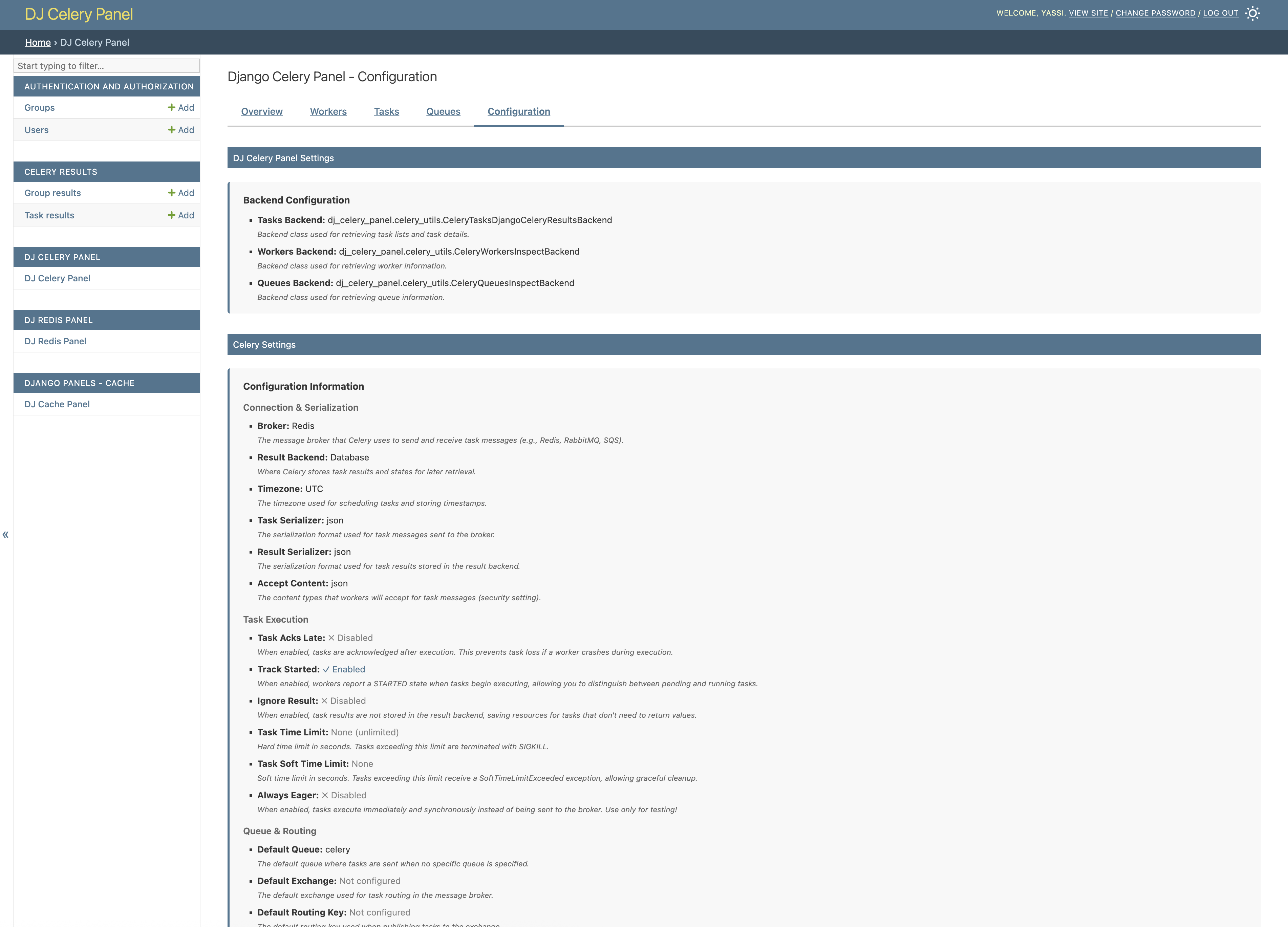
Configuration display includes: - Broker URL and settings - Result backend configuration - Task execution settings - Timezone and scheduling options - Worker pool settings - And more...
Quick Links
- Features - Detailed features with screenshots
- Installation
- Configuration
- Development
Requirements
- Python 3.9+
- Django 4.2+
- Celery 5.0+
- django-celery-results (for task history)
- A running Celery broker (Redis, RabbitMQ, etc.)
- At least one running Celery worker (for monitoring features)
License
MIT License - See LICENSE file for details.