Django Control Room Documentation
Welcome to the Django Control Room documentation!
Official Site: djangocontrolroom.com
Getting Started
New to Django Control Room? Start here:
- Installation Guide - Install Django Control Room and panels
- Quick Start - Get up and running in 5 minutes
- Configuration - Customize behavior and settings
Quick Start
# settings.py
INSTALLED_APPS = [
    # ...
    'dj_redis_panel',
    'dj_cache_panel',
    'dj_urls_panel',
    'dj_control_room',  # list after panels so they appear in one section
]
# urls.py
urlpatterns = [
    path('admin/dj-redis-panel/', include('dj_redis_panel.urls')),
    path('admin/dj-cache-panel/', include('dj_cache_panel.urls')),
    path('admin/dj-urls-panel/', include('dj_urls_panel.urls')),
    path('admin/dj-control-room/', include('dj_control_room.urls')),
    path('admin/', admin.site.urls),
]
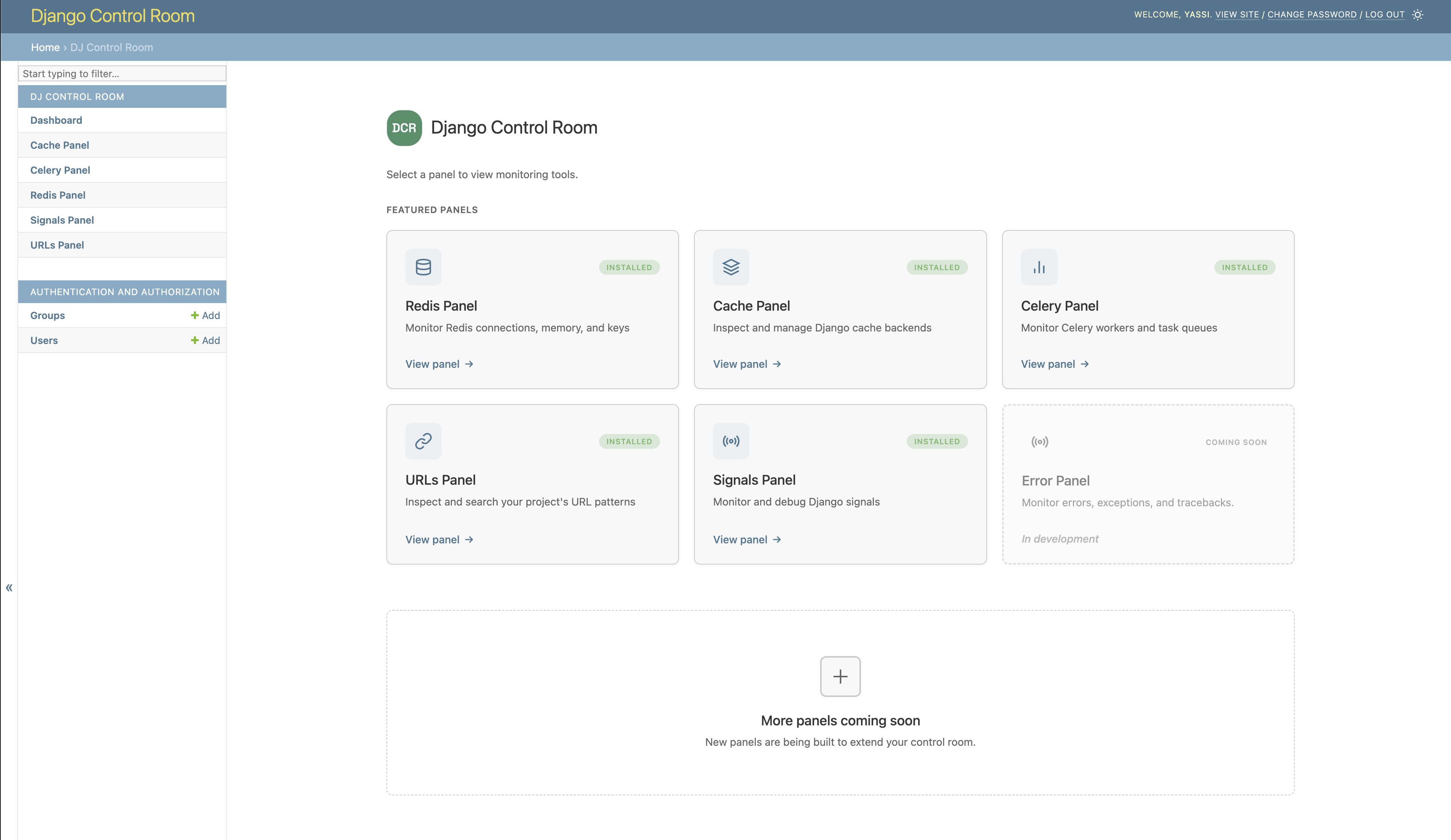
Visit: http://localhost:8000/admin/dj-control-room/
Documentation
User Guides
- Installation Guide - Step-by-step installation instructions
- Configuration - Settings and customization options
Developer Guides
- Creating Panels - Build custom panels using our cookiecutter template
- Cookiecutter Template - Official panel template generator
- API Reference - Complete API documentation
Panel Documentation
Official panel documentation:
- Redis Panel - Redis monitoring and key inspection
- Cache Panel - Django cache backend inspection
- Celery Panel - Django celery monitoring
- URLs Panel - URL pattern browsing and testing
- Signals Panel - Django Signals/Receivers inspection
Features
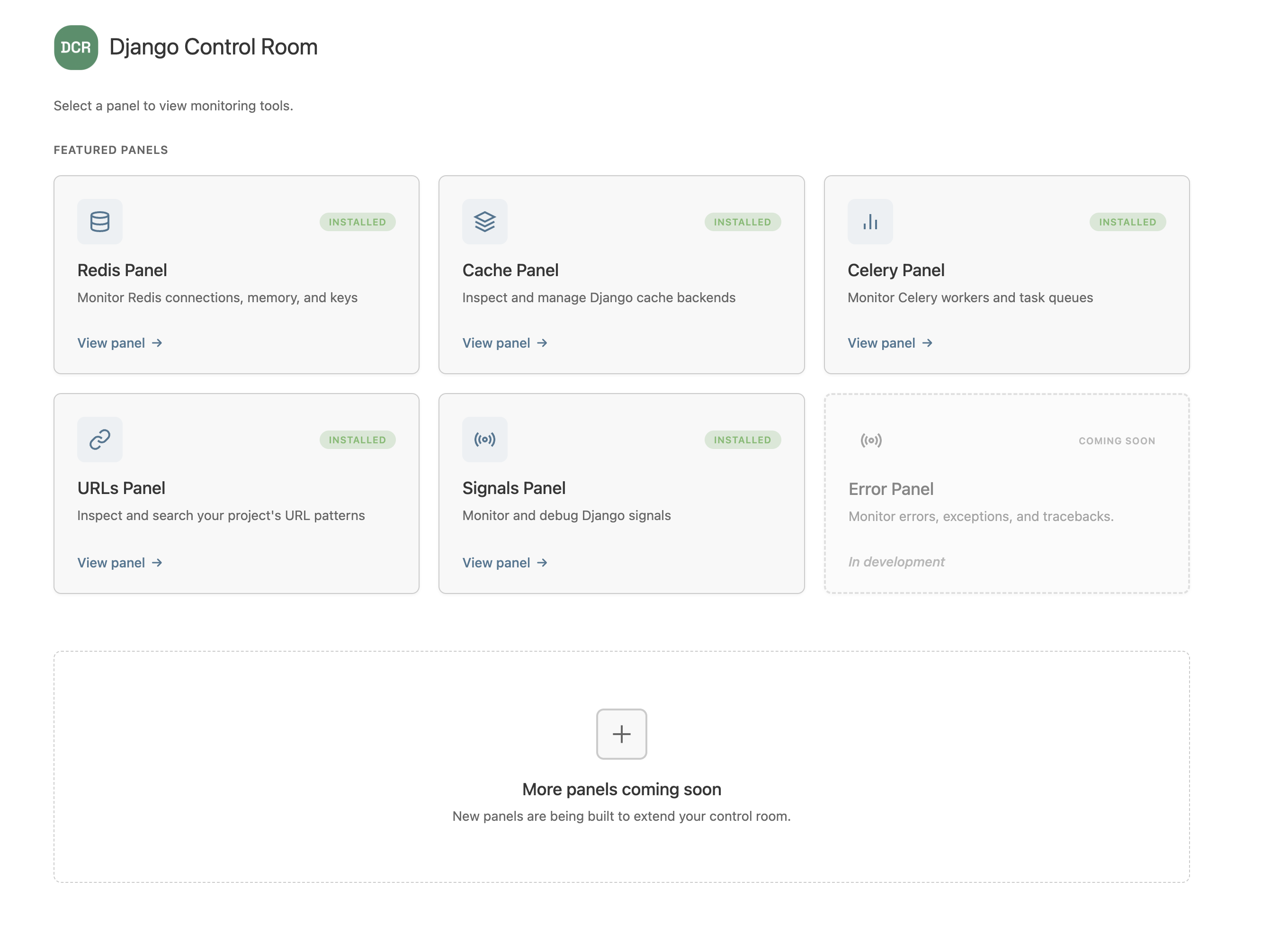
Centralized Dashboard
All your admin panels in one unified dashboard. No more hunting through the admin sidebar.
Plugin System
Install panels from PyPI with a single command:
Beautiful UI
Modern, responsive design that looks great in both light and dark mode.
Secure by Default
- Staff-only access
- Package verification for official panels
- Protection against panel hijacking
Official Panels
Pre-built panels for common Django tasks:
- Redis Panel - Monitor Redis connections and inspect keys
- Cache Panel - Inspect Django cache backends
- URLs Panel - Browse and test URL patterns
- Celery Panel - Monitor Celery tasks
- Signals Panel - Inspect Django signals and receivers
- Error Panel (coming soon) - Monitor errors and exceptions
Architecture
Panel Discovery
Panels are discovered via Python entry points:
When Django starts, Django Control Room:
1. Scans for entry points in the dj_control_room.panels group
2. Loads panel classes
3. Validates required attributes
4. Registers panels in the global registry
URL Structure
/admin/dj-control-room/- Control Room dashboard/admin/dj-redis-panel/- Redis panel/admin/dj-cache-panel/- Cache panel- etc.
Panels are mounted at root level for clean URLs.
Admin Integration
Django Control Room automatically: 1. Creates proxy models for each panel 2. Registers them under "Django Control Room" in admin sidebar 3. Unregisters panel placeholder models (unless configured otherwise)
Requirements
- Python 3.9+
- Django 4.2+
Support
Need help? Here's how to get support:
- Official Site - Guides, tutorials, and examples
- GitHub Discussions - Ask questions
- Issue Tracker - Report bugs
- GitHub Repository - View source code
Contributing
We welcome contributions! Please check the GitHub repository for contribution guidelines.
License
Django Control Room is licensed under the MIT License.
Credits
Created by Yasser Toruno
What's Next?
- First time? → Installation Guide
- Setting up? → Configuration
- Building a panel? → Creating Panels
- Need API details? → API Reference
- Want more examples? → djangocontrolroom.com