API Reference
Complete API reference for Django Control Room.
Official Site: djangocontrolroom.com.
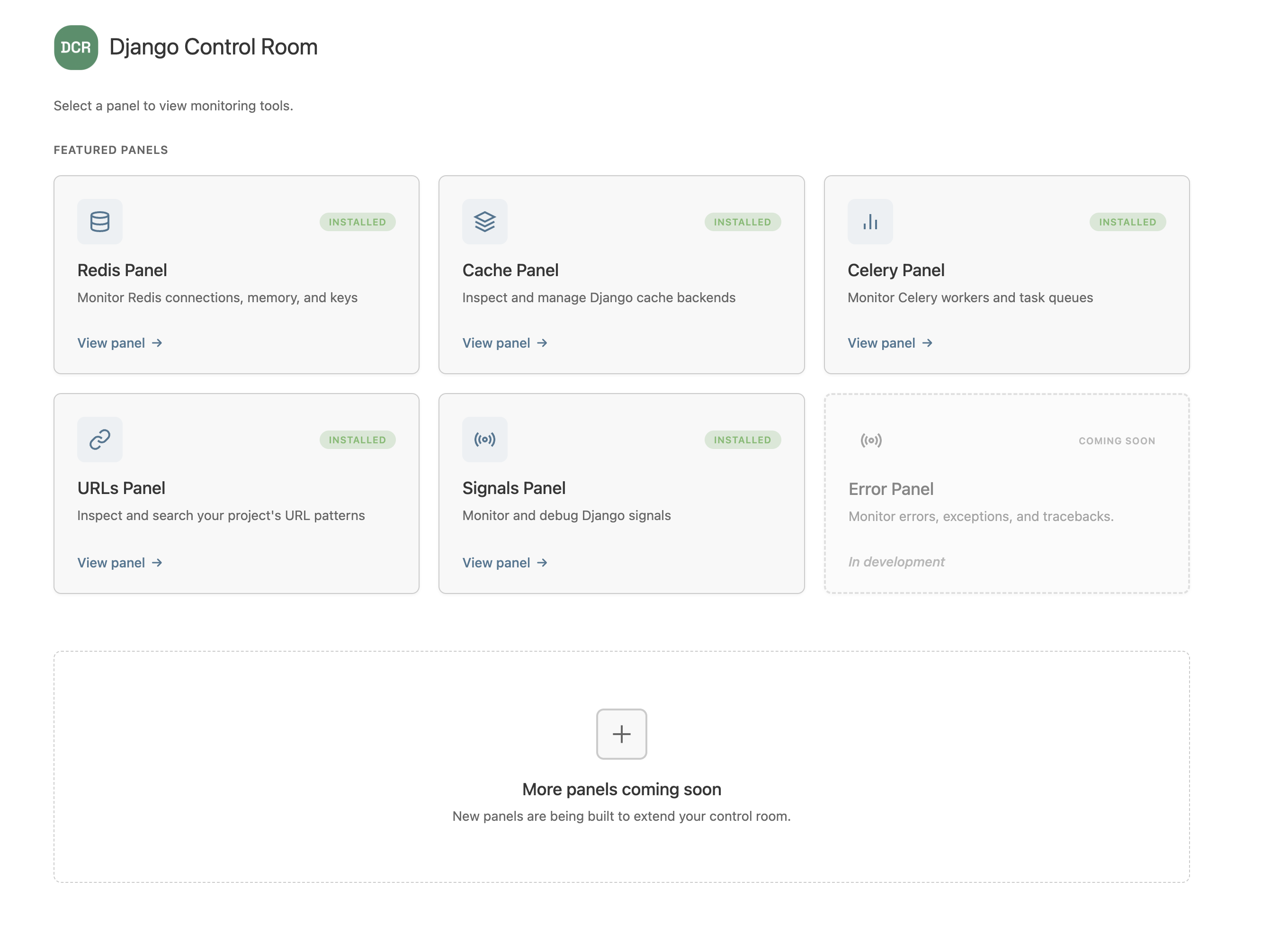
Panel Interface
Panel Class
The core interface that all panels must implement.
class MyPanel:
    """
    Panel class for Django Control Room.
    """

    # Required attributes
    name: str
    description: str
    icon: str

    # Optional attributes
    app_name: str   # Defaults to normalized dist name (hyphens → underscores)
    package: str    # PyPI package name — enables the install/configure page
    docs_url: str
    pypi_url: str

    # Optional methods
    def get_url_name(self) -> str:
        """Return the URL name for the panel's main entry point."""
        return "index"
Registry key: Each panel's unique identifier is derived automatically from its PyPI distribution name (hyphens replaced with underscores). You do not declare an
idon the panel class — if you do, it is ignored. This design prevents two community packages from accidentally clobbering each other.
Required Attributes
name
Type: str
Description: Display name shown in the Control Room dashboard.
Example:
description
Type: str
Description: Brief description (1-2 sentences) of what the panel does.
Example:
icon
Type: str
Description: Icon identifier for the panel.
Available values: "database", "layers", "link", "chart", "radio", "cog"
Example:
Optional Attributes
app_name
Type: str
Default: Normalized distribution name (hyphens → underscores)
Description: The Django app label used in INSTALLED_APPS and the URL namespace declared in your urls.py. Only set this if your app label differs from the normalized dist name.
Example:
package
Type: str
Default: None
Description: Your PyPI package name. When set, enables the install/configure page with a pip install snippet.
Example:
Optional Methods
get_url_name()
Returns: str
Default: "index"
Description: Returns the URL name for the panel's main entry point.
Example:
Django Control Room resolves the panel's URL using:
Registry
registry
Global panel registry instance. Automatically discovers and manages registered panels.
Methods
autodiscover()
Discover all panels registered via Python entry points.
Returns: None
Example:
This is automatically called when Django starts, but you can call it manually if needed.
get_panels()
Get list of all registered panels.
Returns: List[Panel] - List of panel instances
Example:
get_panel(panel_id)
Get a specific panel by ID.
Parameters:
- panel_id (str): The panel's ID
Returns: Panel or None if not found
Example:
register(panel_class, panel_id)
Manually register a panel class.
Parameters:
- panel_class: The panel class to register
- panel_id (str, required): The registry key for this panel. Normally derived from the dist name during autodiscovery, so must be supplied explicitly here.
Returns: None
Example:
from my_panel.panel import MyPanel
from dj_control_room.registry import registry

registry.register(MyPanel, panel_id='my_panel')
Note: Panels are normally registered automatically via entry points. Manual registration is mainly useful in tests.
Views
Decorators
@staff_member_required
Django's built-in decorator to require staff permissions.
Example:
from django.contrib.admin.views.decorators import staff_member_required

@staff_member_required
def my_view(request):
    # Only staff members can access
    pass
Context Helpers
admin.site.each_context(request)
Get Django admin context for proper rendering.
Parameters:
- request: Django HttpRequest object
Returns: dict - Admin context with site info, permissions, etc.
Example:
from django.contrib import admin

def my_view(request):
    context = admin.site.each_context(request)
    context.update({
        'title': 'My Panel',
        'data': get_my_data(),
    })
    return render(request, 'admin/my_panel/index.html', context)
Featured Panels
FEATURED_PANELS
List of curated official panels.
Structure:
[
    {
        "id": "dj_redis_panel",
        "name": "Redis Panel",
        "description": "Monitor connections, memory, keys",
        "icon": "database",
        "package": "dj-redis-panel",
        "docs_url": "https://github.com/yassi/dj-redis-panel",
        "pypi_url": "https://pypi.org/project/dj-redis-panel/",
        "coming_soon": False,  # Optional
    },
    # ...
]
Helper Functions
get_featured_panel_ids()
Get list of all featured panel IDs.
Returns: List[str]
Example:
from dj_control_room.featured_panels import get_featured_panel_ids

ids = get_featured_panel_ids()
# ['dj_redis_panel', 'dj_cache_panel', ...]
get_featured_panel_metadata(panel_id)
Get metadata for a featured panel.
Parameters:
- panel_id (str): The panel's ID
Returns: dict or None if not found
Example:
from dj_control_room.featured_panels import get_featured_panel_metadata

meta = get_featured_panel_metadata('dj_redis_panel')
if meta:
    print(meta['name'])  # "Redis Panel"
    print(meta['package'])  # "dj-redis-panel"
is_featured_panel(panel_id)
Check if a panel ID is a featured panel.
Parameters:
- panel_id (str): The panel's ID
Returns: bool
Example:
from dj_control_room.featured_panels import is_featured_panel

if is_featured_panel('dj_redis_panel'):
    print("This is an official panel")
Settings
DJ_CONTROL_ROOM_SETTINGS
Django settings dictionary for Django Control Room configuration.
Location: settings.py
Structure:
Settings Keys
REGISTER_PANELS_IN_ADMIN
Type: bool
Default: False
Description: Global setting for panel admin registration.
PANEL_ADMIN_REGISTRATION
Type: dict
Default: {}
Description: Per-panel admin registration overrides.
DJ_CONTROL_ROOM_SETTINGS = {
    'PANEL_ADMIN_REGISTRATION': {
        'dj_redis_panel': True,
        'dj_cache_panel': False,
    }
}
Entry Points
dj_control_room.panels
Entry point group for panel registration.
Format:
Example:
Requirements:
- Must point to a valid Python class
- Class must implement the panel interface (name, description, icon)
- The registry key is derived from the distribution's dist.name, not from this entry point name
URL Patterns
Panel URL Structure
Panels should define their URLs with proper namespacing:
# my_panel/urls.py
from django.urls import path
from . import views

app_name = 'my_panel'  # Must match panel.app_name (defaults to normalized dist name)

urlpatterns = [
    path('', views.index, name='index'),
    path('detail/<str:pk>/', views.detail, name='detail'),
]
URL Resolution
Django Control Room resolves panel URLs using panel.app_name as the namespace:
from django.urls import reverse

url = reverse(f'{panel.app_name}:{url_name}')
# Example: reverse('my_panel:index') -> '/admin/my-panel/'
Models
Placeholder Models
Panels can define placeholder models for admin integration:
# my_panel/models.py
from django.db import models

class MyPanelPlaceholder(models.Model):
    class Meta:
        managed = False
        verbose_name = "My Panel"
        verbose_name_plural = "My Panel"
        app_label = "my_panel"
Note: Django Control Room automatically unregisters these and creates proxy models under "Django Control Room" (unless configured otherwise).
Exceptions
Panel Registration Errors
Panels that fail validation will be logged but won't break the app:
Common errors:
- Missing required attributes (name, description, icon)
- Invalid icon value
- Duplicate panel ID
- Import errors
URL Resolution Errors
If a panel's URL can't be resolved:
The panel will still appear in the dashboard with a # URL.
Logging
Django Control Room uses Python's standard logging:
Log levels:
- INFO: Panel registration, successful operations
- WARNING: Failed panel loads, duplicate panels, verification failures
- ERROR: URL resolution errors, critical failures
- DEBUG: Detailed discovery and registration steps
Example configuration:
# settings.py
LOGGING = {
    'version': 1,
    'handlers': {
        'console': {
            'class': 'logging.StreamHandler',
        },
    },
    'loggers': {
        'dj_control_room': {
            'handlers': ['console'],
            'level': 'INFO',
        },
    },
}
Type Hints
Django Control Room is fully typed. You can use type checkers like mypy:
from typing import List
from dj_control_room.registry import registry

def get_panel_names() -> List[str]:
    return [panel.name for panel in registry.get_panels()]