Features
Dj Urls Panel provides a comprehensive suite of tools for managing and testing Django URLs directly from the Django Admin interface.
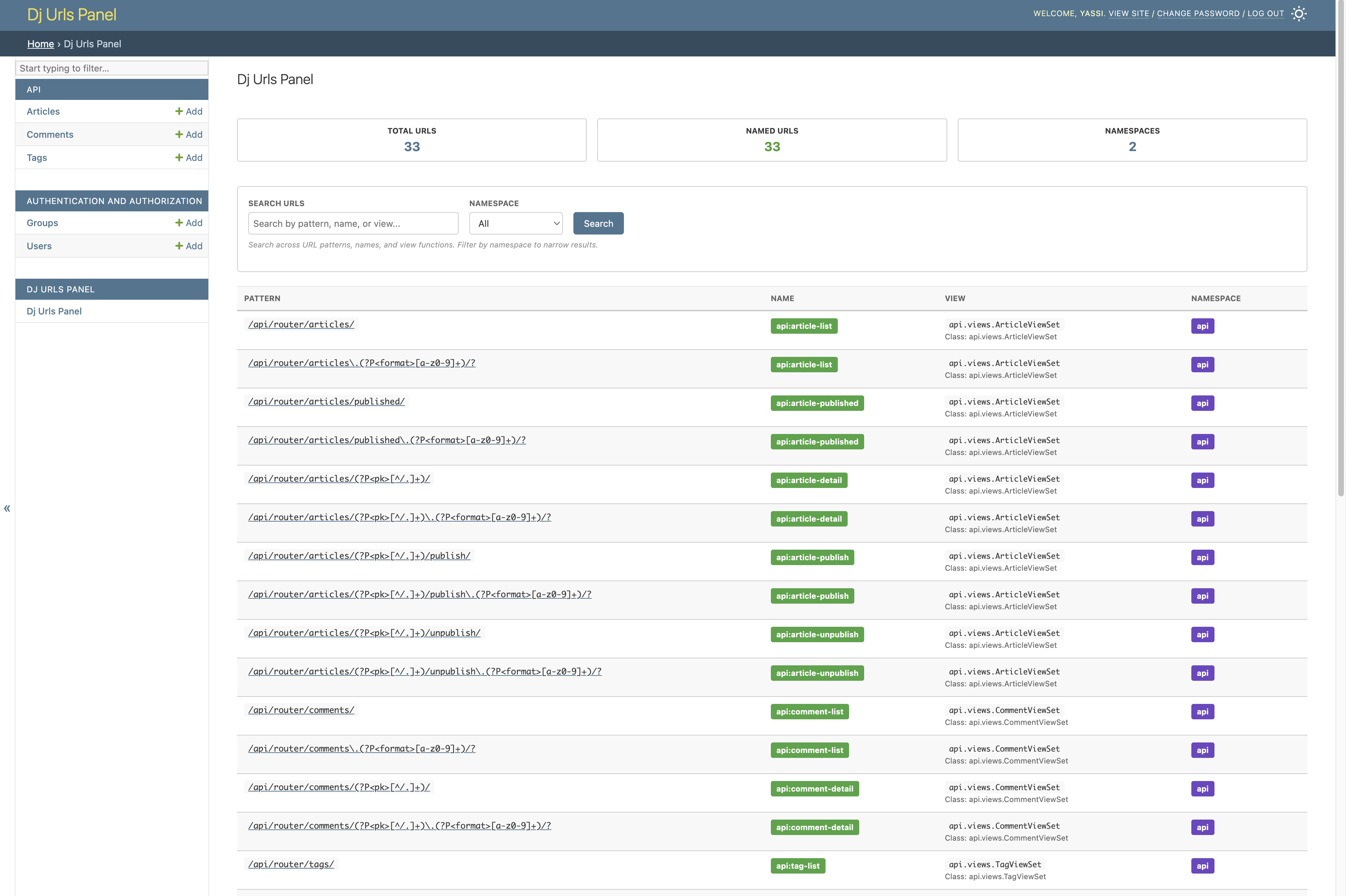
🎯 URL Visualization
View all Django URL patterns in an organized, searchable interface with detailed information about each endpoint.
Key Capabilities
- Browse all registered URL patterns
- Search and filter URLs by pattern, name, or view
- View URL namespaces and organization
- See HTTP methods supported by each endpoint
- Access URL metadata and reversal examples
🧪 Interactive Testing Interface
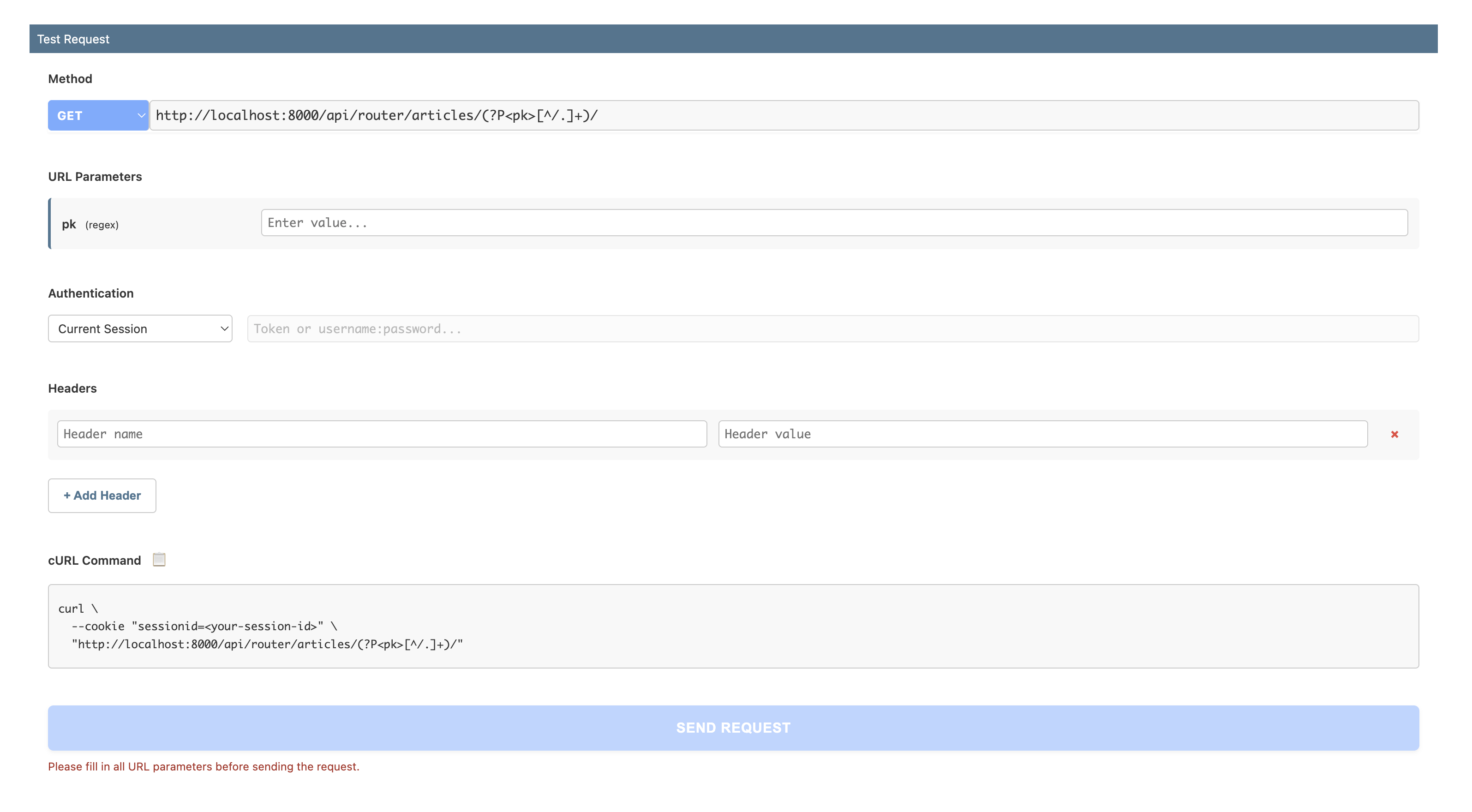
A Swagger-like interface for testing your URLs directly from the admin, without needing external tools like Postman or cURL.
Testing Capabilities
- HTTP Method Selection: Choose from GET, POST, PUT, PATCH, DELETE, HEAD, OPTIONS
- Dynamic URL Parameters: Automatically detect and fill URL parameters (e.g.,
<int:pk>,<uuid:id>) - Request Headers: Add custom headers for testing
- Authentication Support:
- Bearer Token
- Token Authentication
- Basic Auth
- Session Authentication (use current session or specify session ID)
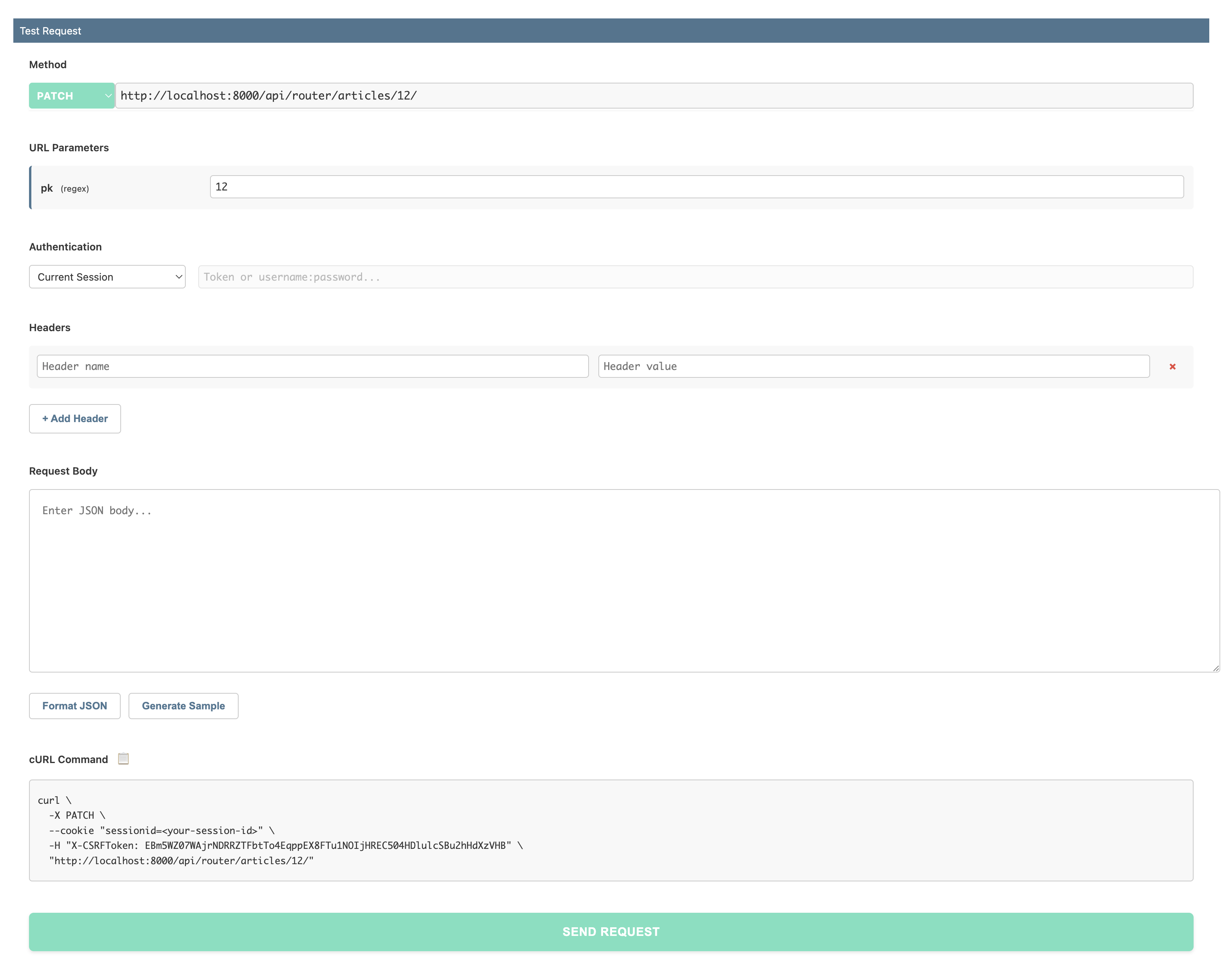
- Request Body Editor: JSON formatting with syntax highlighting
- Real-time Response Display: View status codes, headers, and response body
- cURL Command Generation: Automatic generation with one-click copy
Testing GET Requests
Test GET requests with URL parameters, query strings, and custom headers.
Testing POST/PUT/PATCH Requests
Test write operations with a full-featured request body editor.
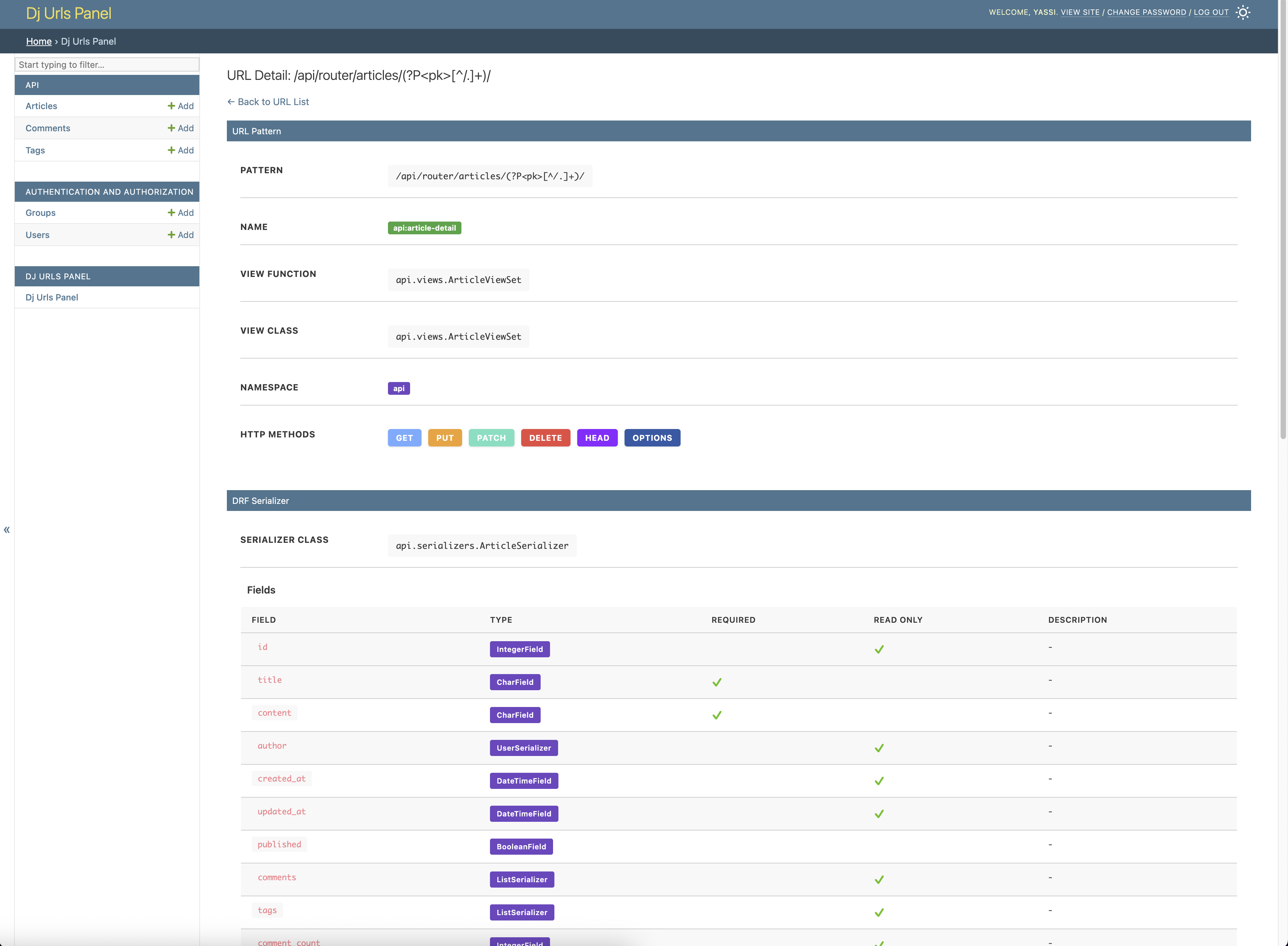
🔗 Django REST Framework Integration
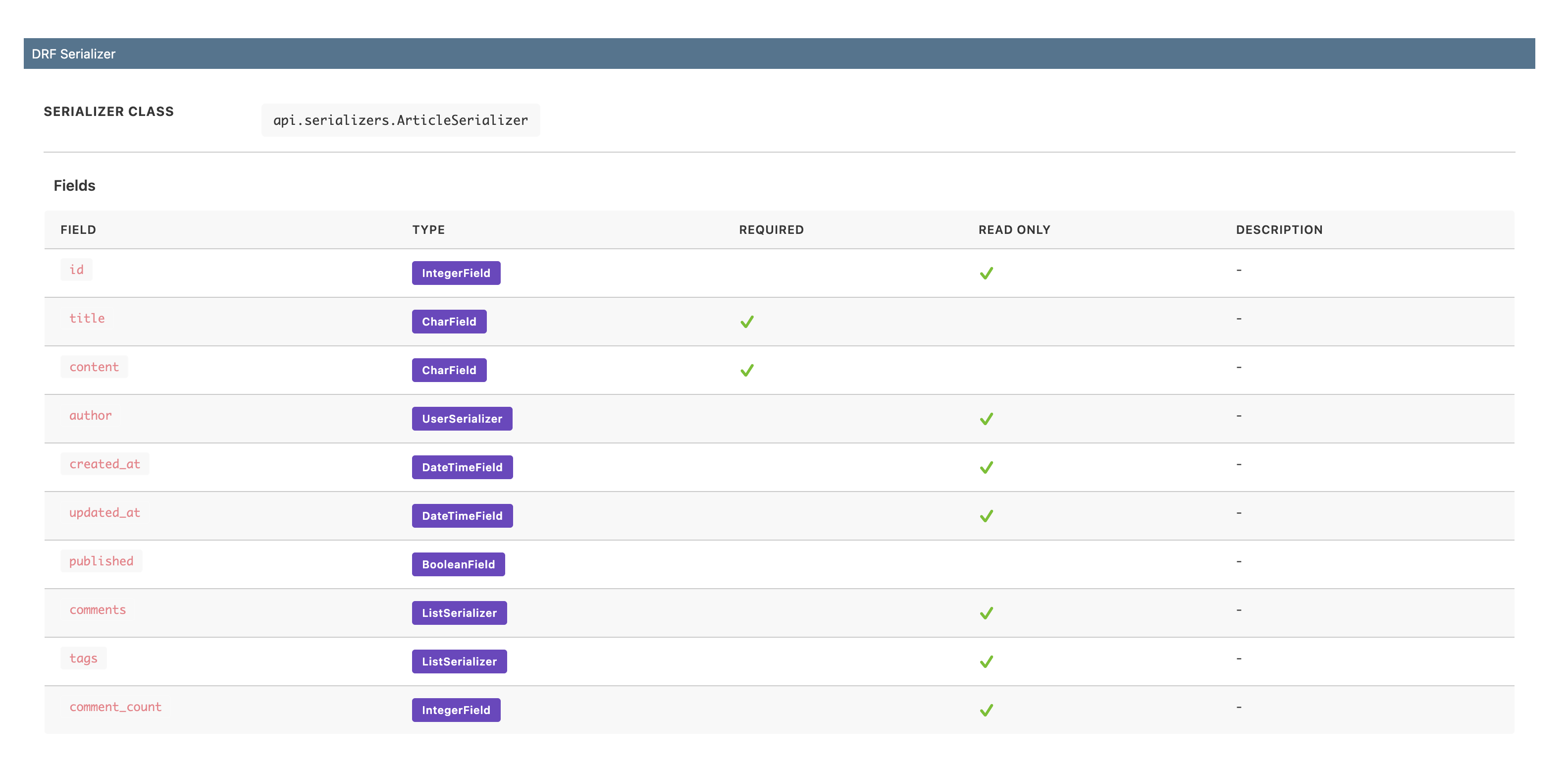
Automatic detection and visualization of DRF serializers, providing insights into your API structure.
DRF Features
- Automatic Serializer Detection: Identifies serializers from ViewSets and APIViews
- Field Information: Displays field names, types, and attributes
- Required Fields: Highlights required vs optional fields
- Read-Only Indicators: Shows which fields are read-only
- Help Text: Displays field help text and validation rules
🔒 Security Features
Built-in security measures to protect against Server-Side Request Forgery (SSRF) and other vulnerabilities.
Security Controls
SSRF Protection
Default blocklist prevents testing against dangerous internal targets:
- Localhost and loopback addresses (127.0.0.1, ::1)
- Private IP ranges (10.x.x.x, 172.16-31.x.x, 192.168.x.x)
- Link-local addresses (169.254.x.x - including cloud metadata endpoints)
- IPv6 private addresses
Host Whitelisting
Explicitly control which hosts can be tested:
When configured, ONLY whitelisted hosts are allowed.
Disable Testing Interface
Completely disable the testing interface for production:
When disabled, the testing interface is hidden and the execute endpoint returns 403.
📋 URL Metadata & Usage Examples
Get detailed information about each URL and learn how to use it in your code.
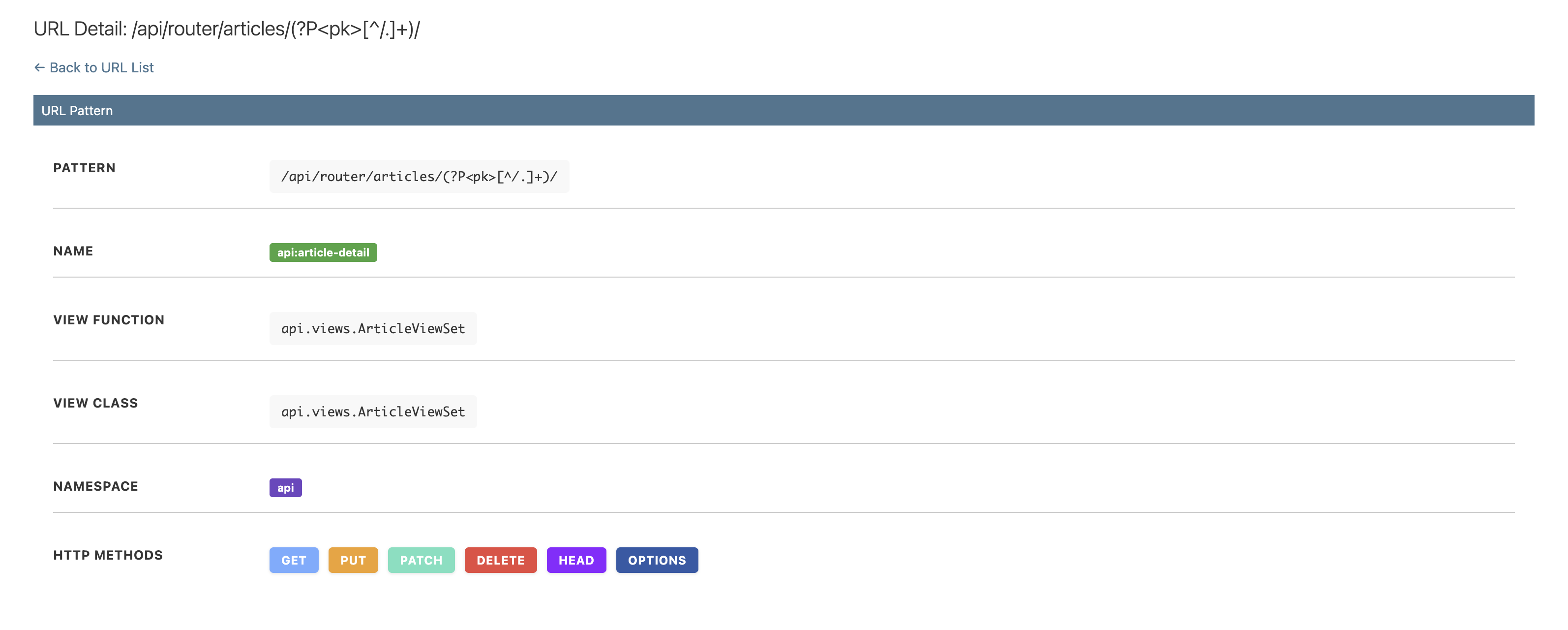
Metadata Information
- URL pattern and regex
- View function/class details
- URL name and namespace
- Supported HTTP methods
- URL parameters and types
Usage Examples
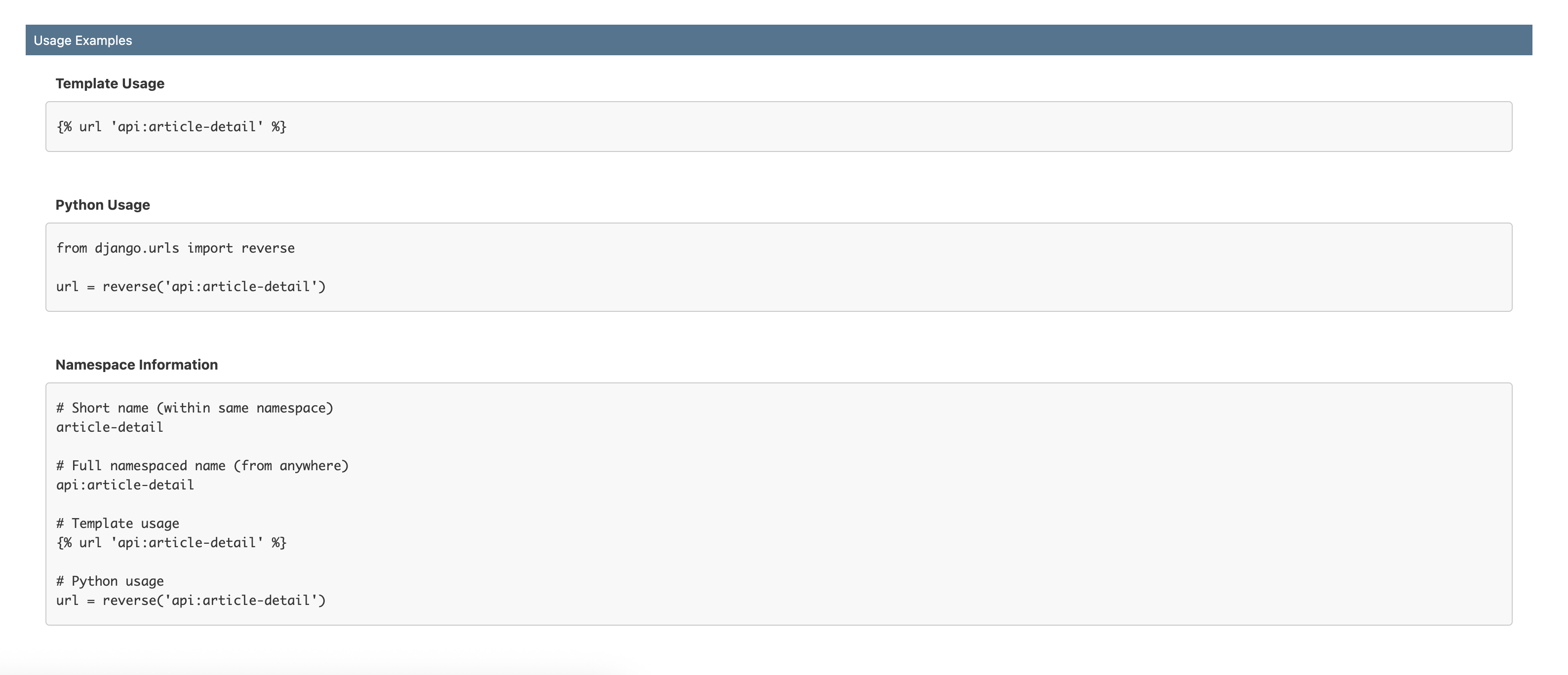
Code examples showing how to use URLs in your Django views:
reverse()function examples- Template URL tag examples
- Parameter handling examples
⚙️ Configuration Options
Flexible configuration to adapt to your project needs.
URL Filtering
Exclude specific URL patterns from the panel:
DJ_URLS_PANEL_SETTINGS = {
    'EXCLUDE_URLS': [
        r'^admin/',      # Exclude admin URLs
        r'^__debug__/',  # Exclude debug toolbar
        r'^api/internal/',  # Exclude internal APIs
    ],
}
Custom URLconf
Use a different URLconf for the panel:
Useful for: - Displaying only API URLs - Testing different URL configurations - Separating documentation from main app
🎨 Admin Integration
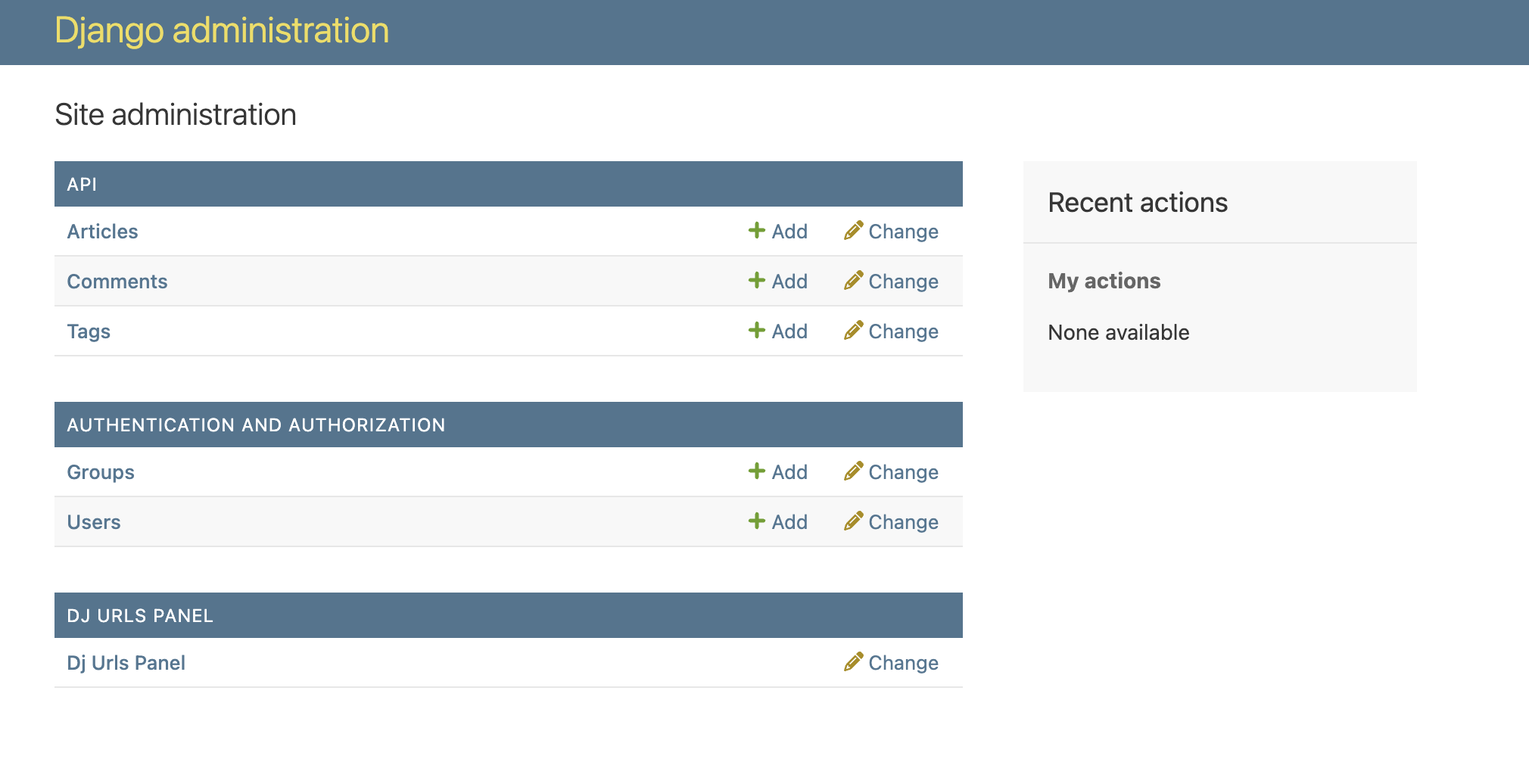
Seamlessly integrated into the Django Admin interface with a familiar look and feel.
Features
- Appears alongside your Django models in the admin
- Uses Django admin styling for consistency
- No additional migrations or models required
- Works with custom admin themes
- Responsive design for mobile testing
🚀 Performance
- Minimal overhead - only loads when accessed
- Efficient URL pattern introspection
- No database queries required
- Fast search and filtering
- Lightweight request execution
📖 Next Steps
- Installation Guide - Get started in minutes
- Configuration - Customize for your needs
- Development - Contribute to the project