dj-control-room-base
dj-control-room-base is a core library for Django Control Room panels. It provides the shared primitives that every panel needs: settings management, CSS injection, permission enforcement, admin sidebar integration, and template context helpers.
Official Django Control Room panels ship with this package as a dependency and build on these APIs rather than reimplementing them panel by panel.
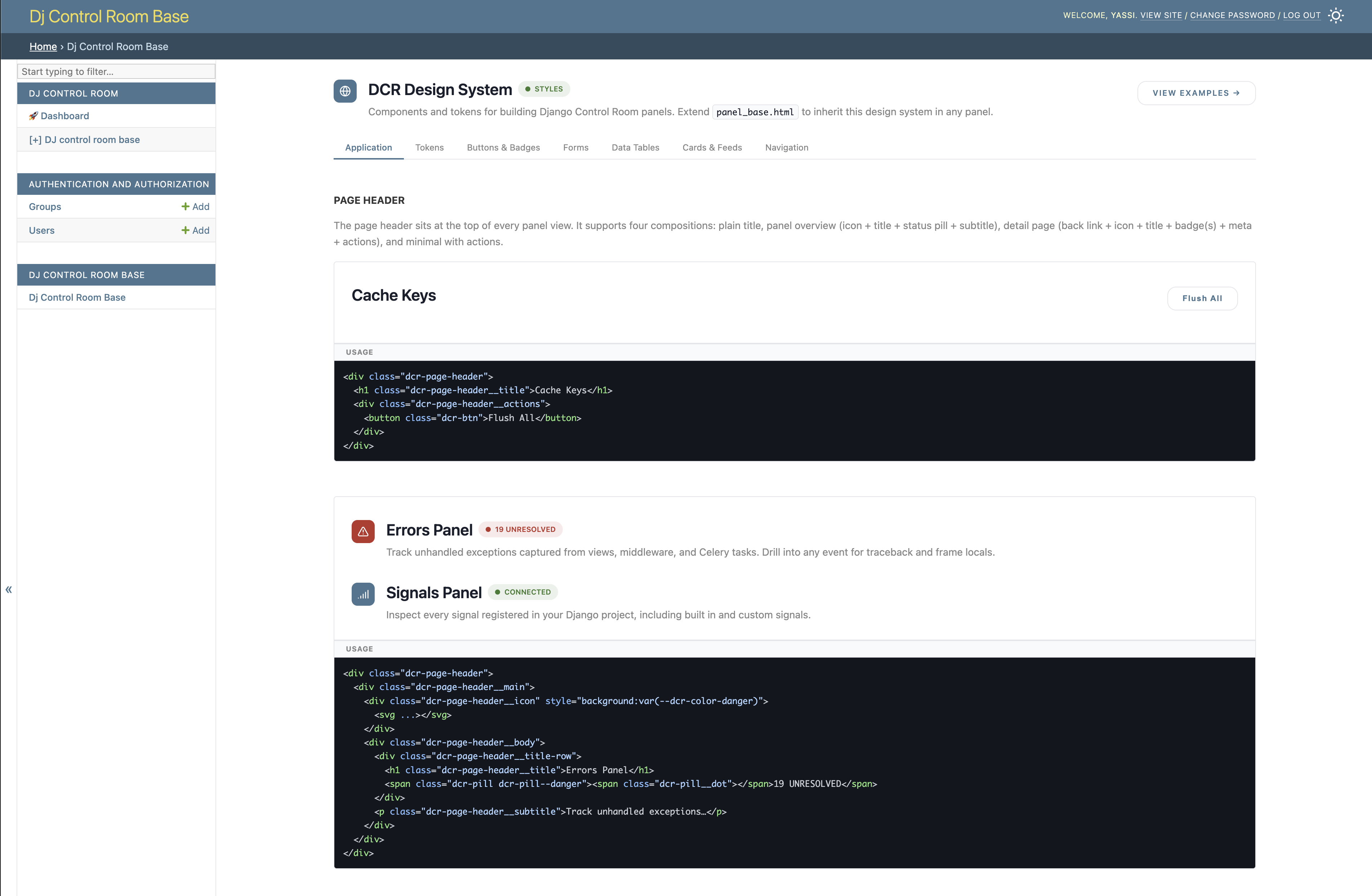
Optionally, the package can also be mounted as a full panel in its own right: it ships a bundled design system reference UI and example patterns that are useful when building or theming new panels.
- Official site: djangocontrolroom.com
- Control Room app: dj-control-room
- Source: github.com/yassi/dj-control-room-base
- PyPI: pypi.org/project/dj-control-room-base
What this library provides
Centralized CSS and permissions
The main value of this library is that it centralizes the settings every panel would otherwise duplicate independently. A single PanelConfig object, instantiated once in a panel's conf.py, handles:
- CSS injection - whether to load the shared design-system bundle, and any additional stylesheets, resolved and injected into template context automatically
- Permission enforcement - staff checks, optional superuser-only restriction, Django group allow lists, and per-view scope overrides, all driven from the same merged settings dict
- Settings merging - panel-level defaults, hub overrides from
dj-control-room, and project-level settings are merged in a defined precedence order so each layer can override only what it needs
Panel authors who use PanelConfig get all of this for free. See Configuration for the full reference.
Admin sidebar integration
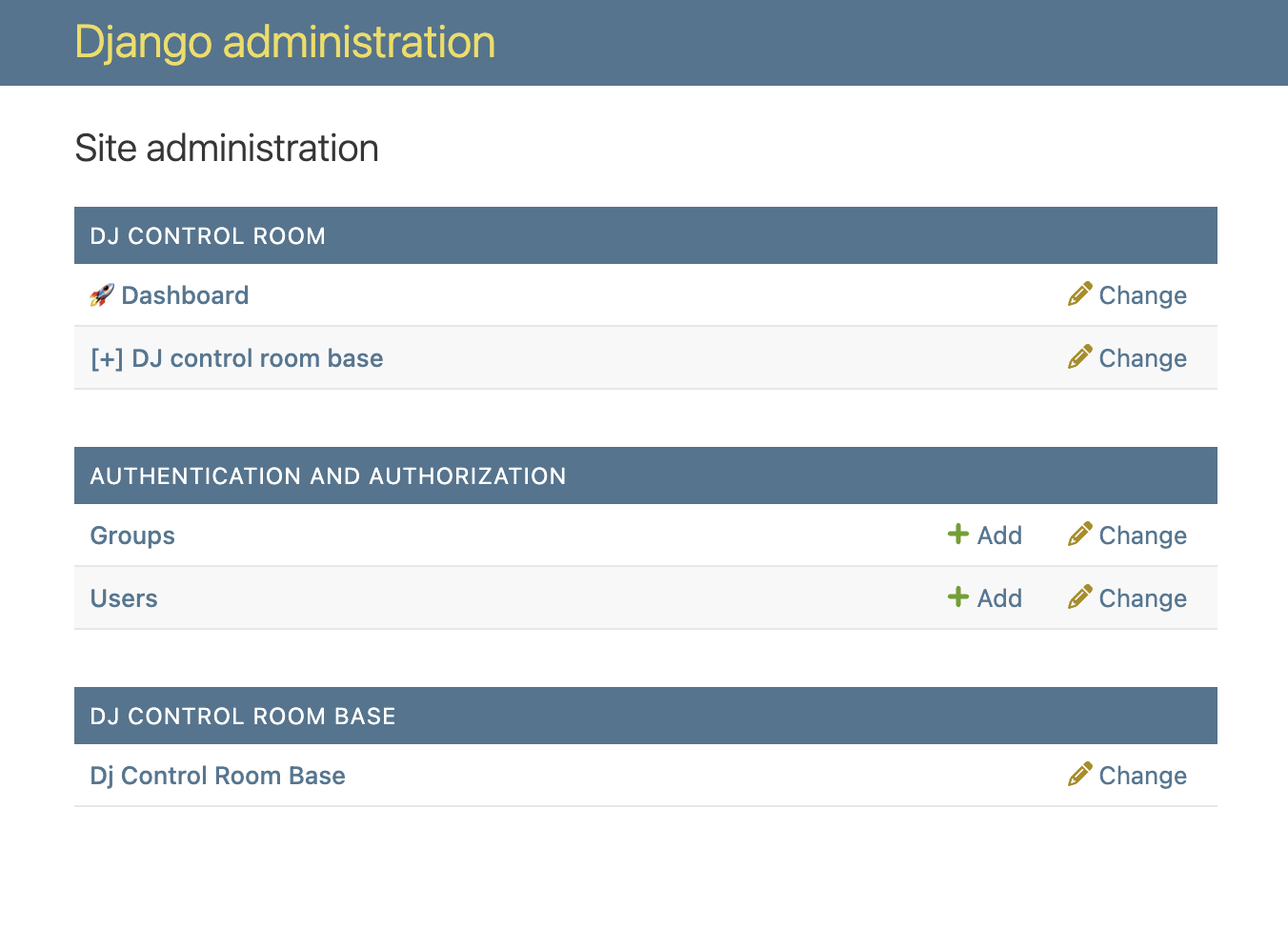
PanelPlaceholderModel and BasePanelAdmin give any panel a Django admin sidebar entry that redirects to the panel's main view, with no writable actions, no migrations, and automatic respect for the same permission rules configured on PanelConfig.
Template context helpers
panel_config.get_context(request, title="...") returns a fully-prepared context dict that includes the standard Django admin context, CSS injection variables, and any extra kwargs you pass. No manual assembly required.
Entry-point discovery and PanelPlugin
Panels register themselves with Control Room via a pyproject.toml entry point under dj_control_room.panels. The entry point points to a subclass of PanelPlugin (from dj_control_room_base.core), which declares the panel's identity metadata and wires it back to a PanelConfig via get_config(). This library ships both the PanelPlugin base class and its own concrete implementation as a reference.
Panel tools
PanelConfig accepts an optional tools list of PanelTool instances. Each tool declares a name, a scope (reusing the same permission system as views), a description, a JSON Schema for its inputs, and a handler callable. When a panel exposes tools, the dj-control-room hub aggregates them into a central registry, filters by user permissions, and dispatches calls through a unified endpoint — enabling AI agent integrations and an in-admin chat experience without any per-panel HTTP wiring. See Building Panels — Panel Tools for the full guide.
Requirements
- Python 3.9+
- Django 4.2+ (tested against Django 4.2, 5.2, and 6.0)
The only runtime dependency is Django. dj-control-room is optional and only needed if you want the centralized hub dashboard.
Screenshots
Django admin sidebar - the placeholder model registers a sidebar entry with no extra migrations required:
The panel UI - the bundled design system reference view at /admin/dj-control-room-base/:
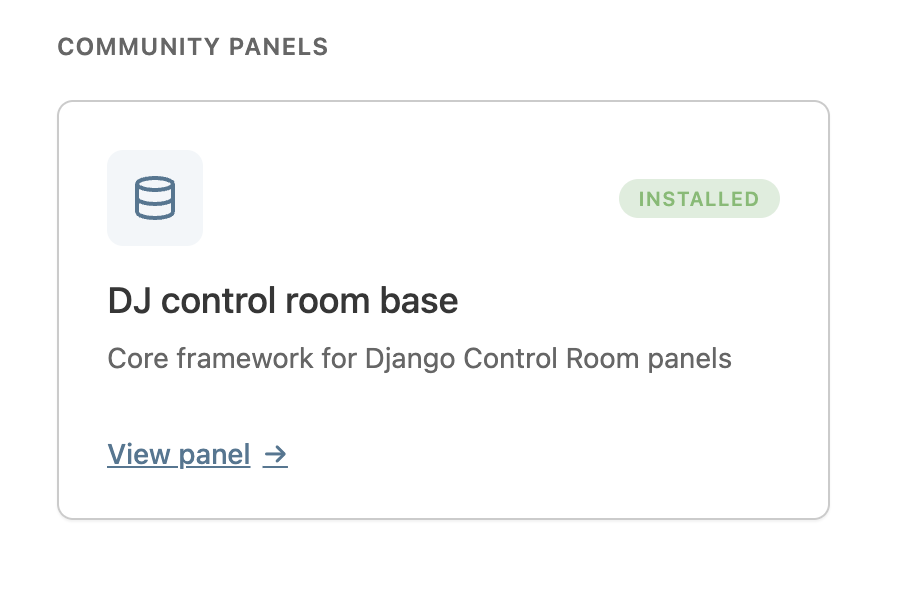
Control Room hub - how the panel appears in the centralized dashboard when dj-control-room is installed:
Quick start
# urls.py
urlpatterns = [
    path("admin/dj-control-room-base/", include("dj_control_room_base.urls")),
    path("admin/", admin.site.urls),
]
See Installation for the complete walkthrough.
License
MIT. See the LICENSE file.